Promotional graphics for providers
Creating promotional banners and boards
If you have been rated as either good or outstanding at service, location or provider level, you may use the relevant graphics in a printed banner, which you can display at an appropriate place. These graphics must not be passed on to any other organisation and can be used for the specific services/locations they relate to only. For example, an NHS trust with a rating of good or outstanding at service or location level cannot use this to imply that it covers the whole trust at overall provider level.
Similarly, if you are a larger corporate care home provider and one of your care homes was rated as good or outstanding, you must make clear that the rating applies to that specific home only – not the company as a whole. This is why it’s important to include the name of the location.
If you are re-inspected and do not receive a good or outstanding rating, you must stop using these graphics.
What you must include
If you print a large banner, there are 4 elements that you must include. These are required to show your rating properly:
- The name of the organisation exactly as it appears on your CQC web page. If it’s an individual care home or hospital, you must use this location name – not the overall provider’s name.
- The appropriate CQC rating graphic for good or outstanding.
- The date your inspection report was published on your provider or location page on CQC’s website.
- The graphic ‘Inspected and rated by Care Quality Commission’.
All these graphics are supplied as EPS files to ensure a high quality when printing in a large size. They come with a transparent background, which you can drop onto either a white or a purple background, depending on the chosen design of your banner. The graphics are not shown to scale – this depends on the overall size of your banner.
You can also add your provider organisation’s logo if you have one – this is optional.
Your printed banner can be any size or dimension, so long as it includes the required 4 elements listed above and uses the correct graphics that CQC supplies. We don’t specify a particular font to use for the name of your organisation.
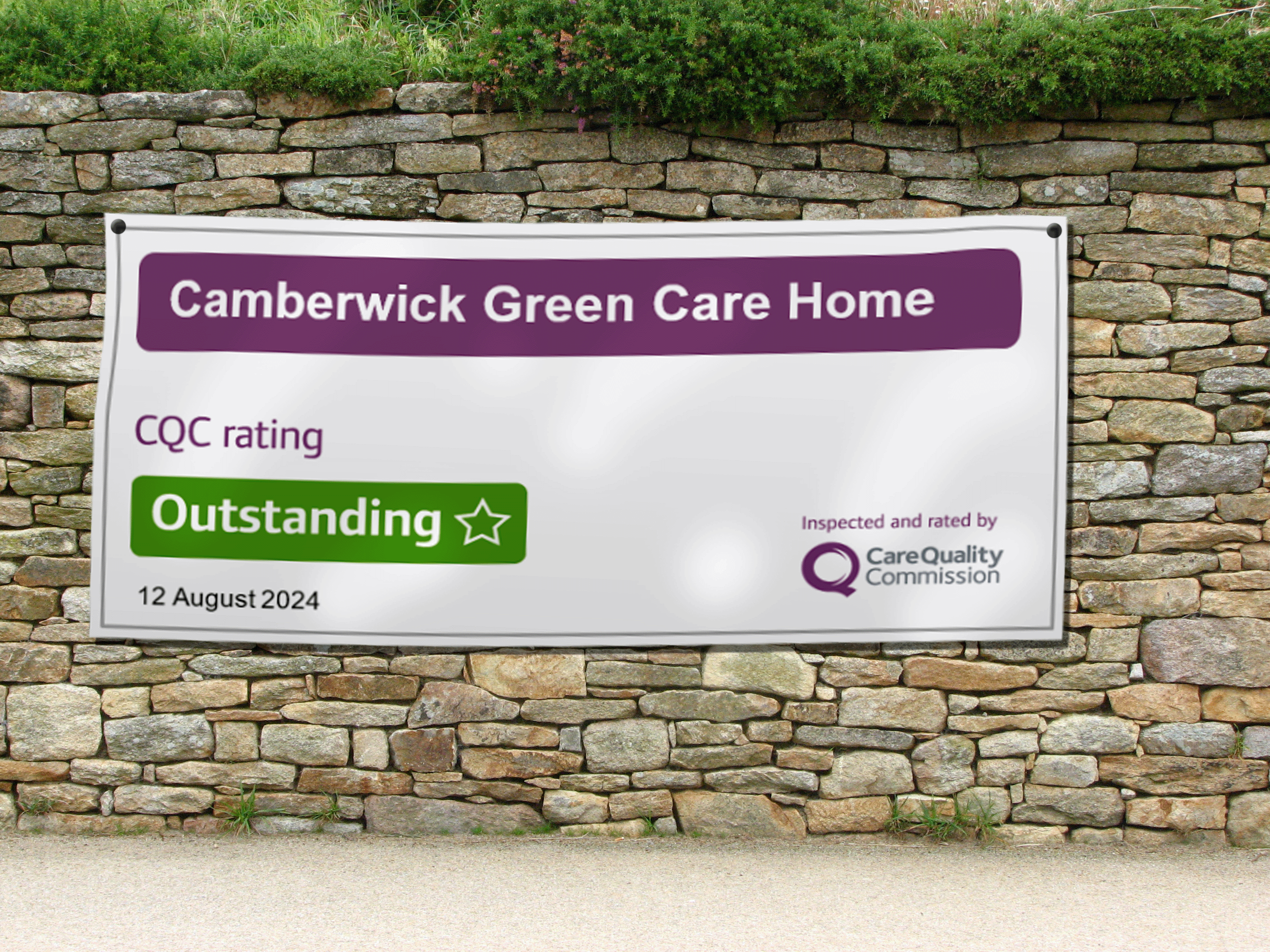
The image below gives you an idea of the type of banner you can create.
Preferred layouts for banners
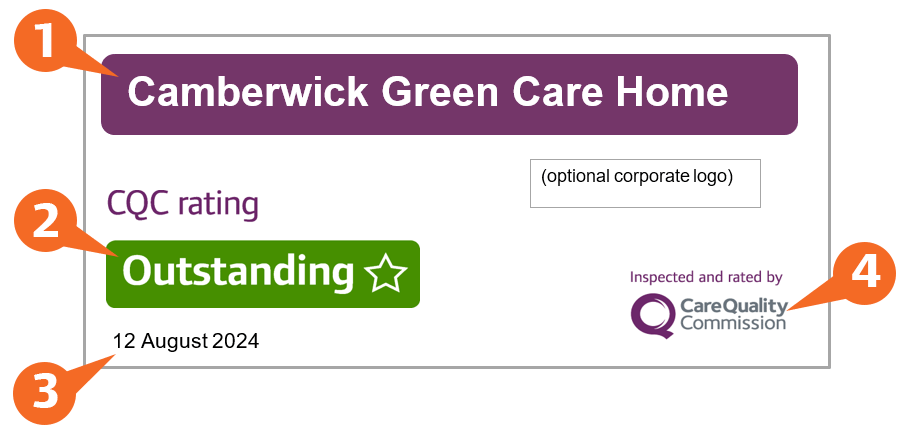
We don’t specify a particular design format, but the following are 2 examples of our preferred layout that include the 4 required elements. They show a choice of either a white or a purple background.
Banner on a white background
You must include the following 4 elements on a banner:
- The name of the organisation exactly as it appears on your CQC web page. If it’s an individual care home or hospital, you must use this location name – not the overall provider’s name. Make a purple lozenge shape here with rounded corners if possible and white text.
- The appropriate CQC rating graphic for good or outstanding.
- The date your inspection report was published on your provider or location page on CQC’s website.
- The graphic ‘Inspected and rated by Care Quality Commission’.
Banner on a purple background
Make a purple lozenge shape background, with rounded corners if possible. You must use the following 4 elements on the banner:
- The name of the organisation exactly as it appears on your CQC web page. If it’s an individual care home or hospital, you must use this location name – not the overall provider’s name.
- The appropriate CQC rating graphic for good or outstanding.
- The date your inspection report was published on your provider or location page on CQC’s website.
- The graphic ‘Inspected and rated by Care Quality Commission’.

Colour breakdowns for printing banners
When creating a banner, use these colour breakdowns:
Purple lozenge background (PANTONE 519C)
- C: 67
- M: 100
- Y: 30
- K: 10
- R: 109
- G: 39
- B: 106
Green good and outstanding ratings background
- C: 76
- M: 21
- Y: 100
- K: 7
- R: 69
- G: 143
- B: 0
Download our graphics for banners
Download the promotional banner graphics for providers (EPS)